tono: Personal Productivity App
Tech Stack
- Next.js 16 (App Router)
- React 19
- TypeScript
- Tailwind CSS 4
- Drizzle ORM
- PostgreSQL (Neon)
- Better Auth
- Tiptap
- dnd-kit
- React Flow
- Zustand
- Framer Motion
- shadcn/ui + base-ui
- jsPDF
About the Project
tono is a personal productivity app, one quiet place for your tasks, notes, habits, calendar events, kanban boards, and a free-form canvas. It is a full-stack Next.js App Router application with server components for data fetching, server actions for every mutation, and a URL-as-state pattern that makes every view shareable and bookmarkable.
Things Learnt in this Project
- Structured the app with Next.js route groups: one group for sign-in/sign-up, one for everything else behind a shared layout
- Kept the current view, selection, and tab in the URL instead of React state, so every page is shareable and survives a refresh
- Used one simple data flow everywhere: server components load data, server actions save changes, and the page refreshes to stay in sync
- Built a queue for saving notes that retries on failure and never lets an old save overwrite a newer one
- Pulled the board logic and streak math out into plain functions with no UI code, so they could be tested directly
- Added an MCP server so AI tools like Claude can manage a kanban board safely, using a token tied to one board only
The Big Picture
The app has two parts: a simple auth section for signing in and signing up, and a dashboard section for everything else. Before any dashboard page loads, it checks that you're signed in, loads your sidebar counts (like how many tasks are due today), and loads your saved keyboard shortcuts. All of this feeds one shell component that holds the sidebar, header, and command palette.
One idea repeats across the whole app: it keeps track of what you're looking at in the page URL instead of in memory. So a link like /todos?view=today&todoId=abc123 means "show the Today view with this task open." Because of this, every view can be shared, bookmarked, or refreshed without losing your place.
The way data moves is simple too: server components load data when the page opens, client components save changes through server actions, and the page refreshes itself afterward so everything stays in sync. For things like dragging or typing, the screen updates right away and saves quietly in the background a moment later.
Every Page, One by One
/dashboard
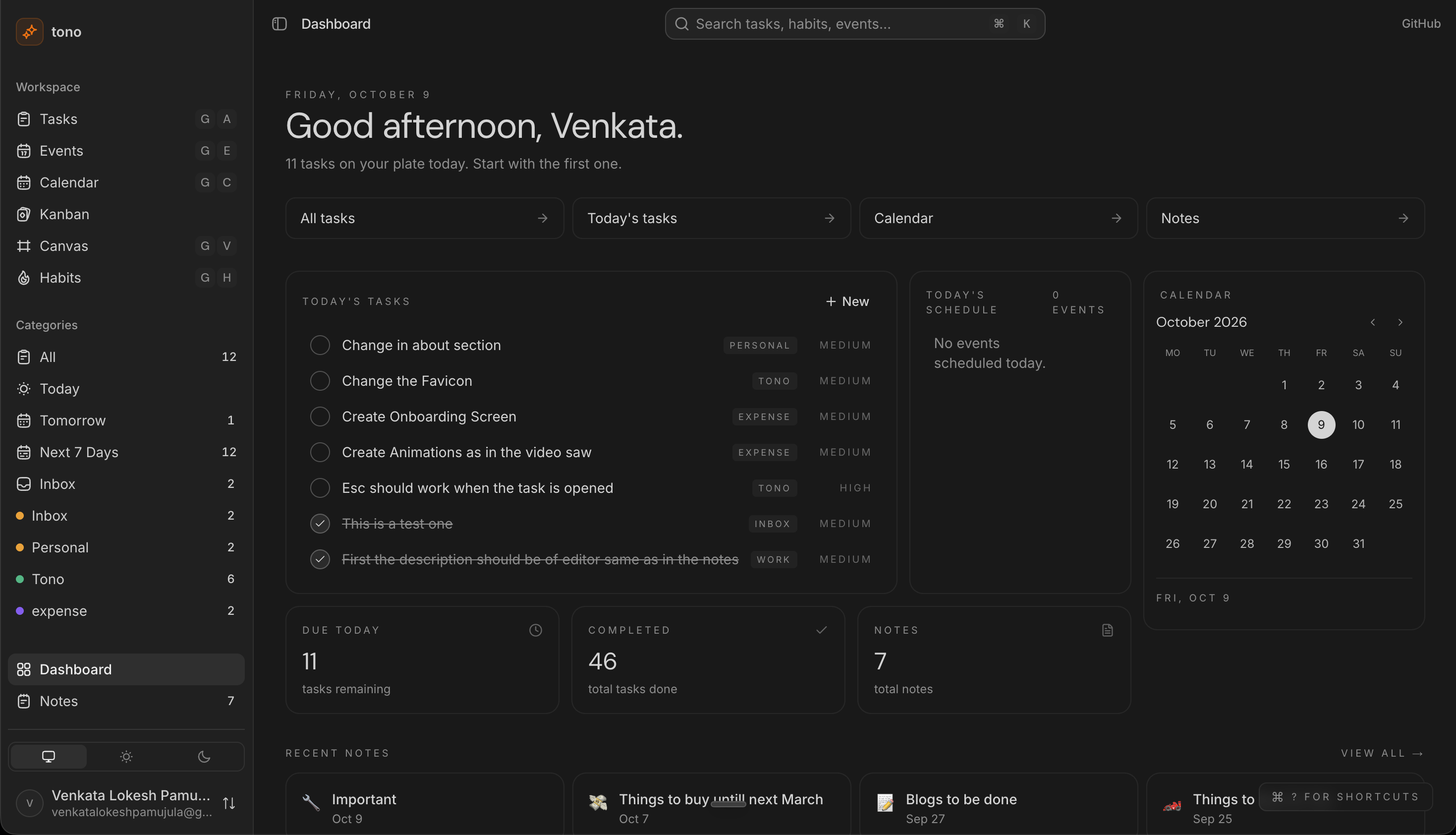
The home screen. It greets you based on the time of day, shows how many tasks you have today, and gives quick cards for your tasks, calendar, and notes. It also shows a small calendar, your most recent notes, and a shortcut to open the help menu.
/todos
This is one page that handles all your tasks, habits, and events, switched by a view name in the URL (today, tomorrow, inbox, and more). You can quickly add a task, habit, or event from the same form. Tasks can be dragged into order, and that order saves automatically a moment after you stop dragging. You can also export your tasks as CSV, Markdown, or PDF. Habits show a streak count and a 7-day tracker, and events show a live badge while they're happening.
/kanban
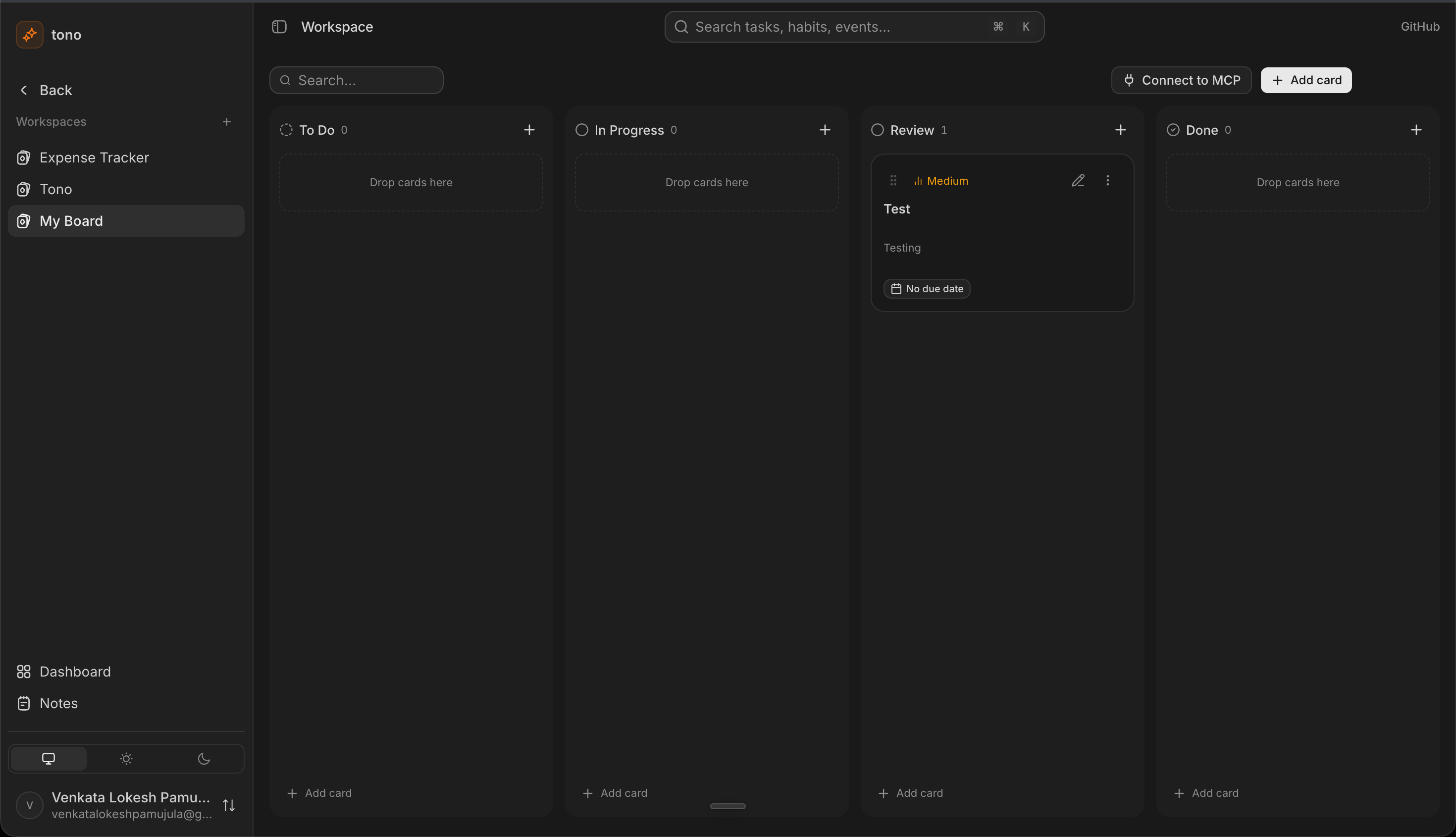
The board view, with support for more than one board. Cards can be dragged between columns with a mouse, touch, or keyboard. Moving a card and editing its details are saved separately, so a slow drag can never overwrite a quick edit. All the drag logic lives in its own file with no UI code in it, which makes it easy to test.
/notes
A Notion-style note editor. You get headings, checklists, tables, images, and a slash menu for quickly adding blocks. Every change saves automatically a little after you stop typing, with a small indicator showing Saving, Saved, or Error. Renaming or pinning a note updates the sidebar right away.
/calendar
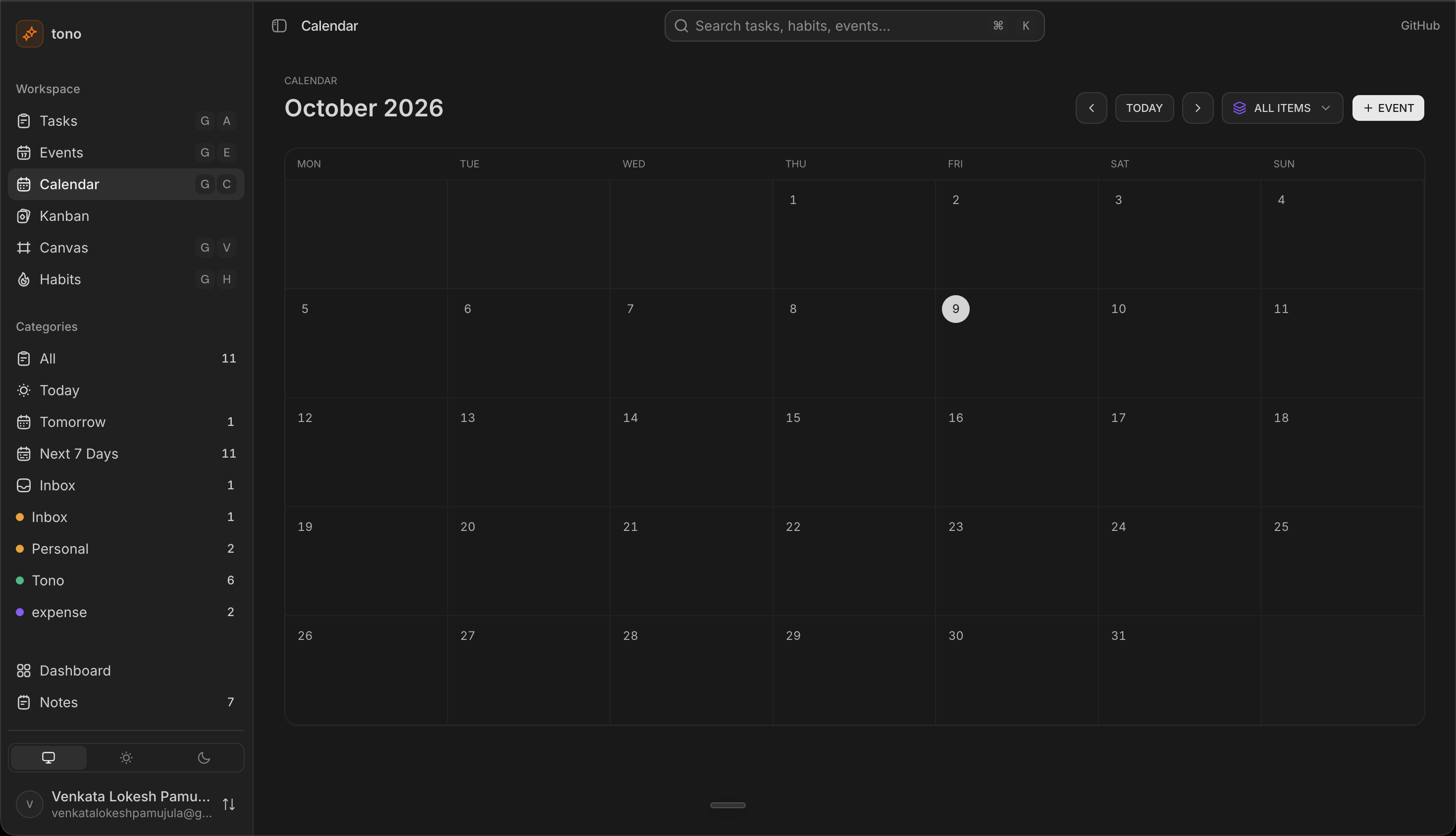
Shows tasks, habit completions, and events together on one monthly calendar, each in its own color. You can filter by type, click a day to quickly add something, or click an item to see its details.
/canvas
A free, zoomable canvas where you can place cards anywhere. Each card can hold a checklist, and those items are real tasks, so checking one off here also shows up in your task list. Where the cards sit is saved on your own device, not on the server.
/settings
Edit your profile, change your keyboard shortcuts, switch between light and dark themes, and see which devices are signed into your account.
/profile
A simple profile page showing your stats (tasks done, due today, and so on), your pinned notes, and your recent activity.
The Database & Server Actions
Data is stored in PostgreSQL with Drizzle ORM. Everything a user owns (tasks, notes, kanban boards, habits, MCP tokens) is linked to their account and deleted along with it. Every change goes through a server action, so there's no separate API to maintain, and each action checks who you are before touching any data.
Key Implementations
The note-saving system is the most carefully built part of the app. Only one save runs at a time, so an older save can never overwrite a newer one. Failed saves retry automatically, and anything still pending is saved before you close the tab or navigate away, so nothing is ever lost.
Keyboard Shortcuts & Command Palette
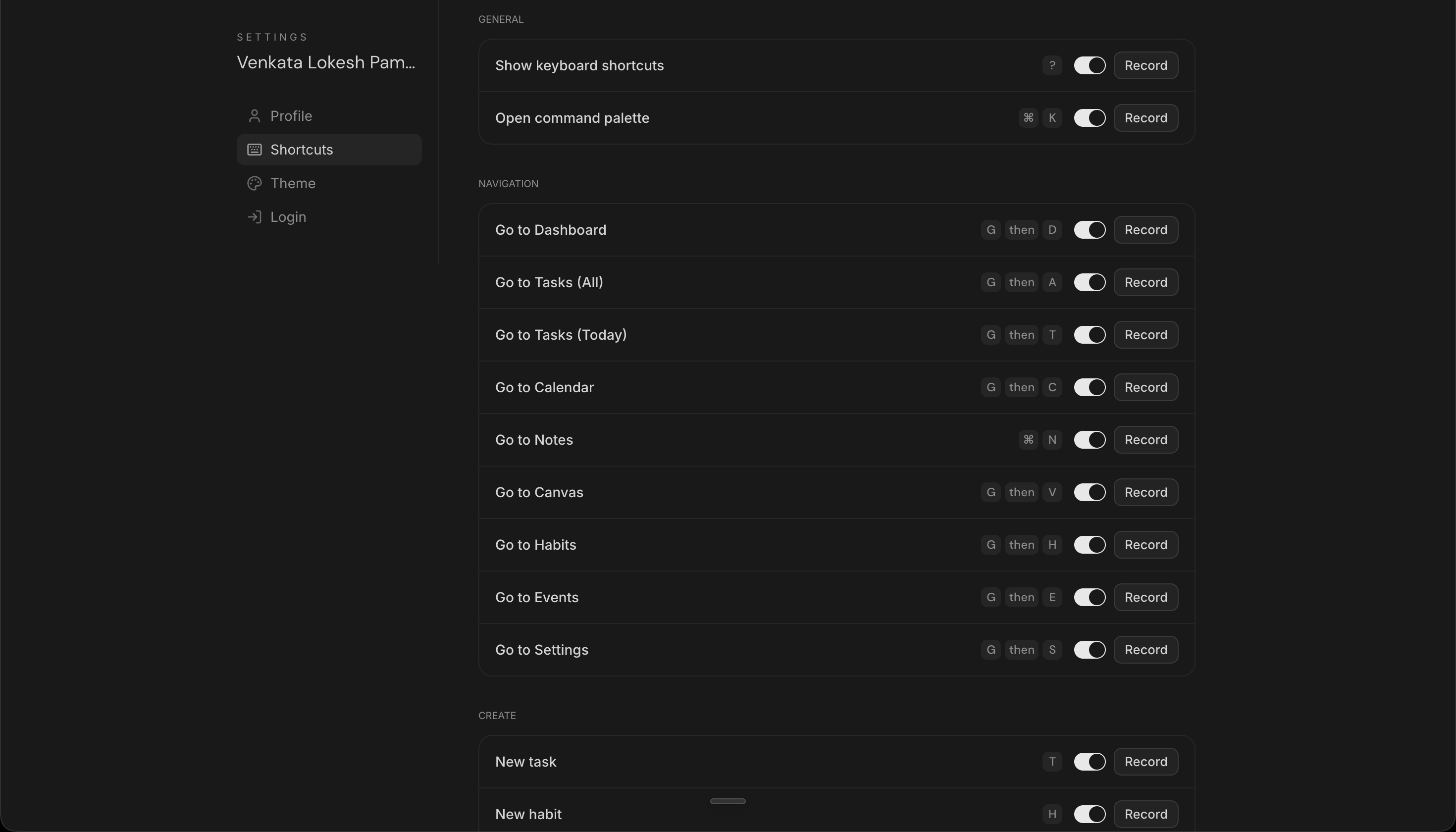
Every shortcut is just a key combo, like ⌘K (Ctrl+K on Windows) or a two-step combo like pressing g then d to go to the dashboard. One listener watches for these across the whole app, but ignores them while you're typing in a text field, except for the ? key, which always opens the shortcuts guide. Pressing ⌘K opens a command palette that searches across your tasks, habits, and events, plus app actions like "new note" or "open calendar." Every shortcut is rebindable from Settings, and the app won't let you set two shortcuts to the same key.
The MCP Server: AI Meets Kanban
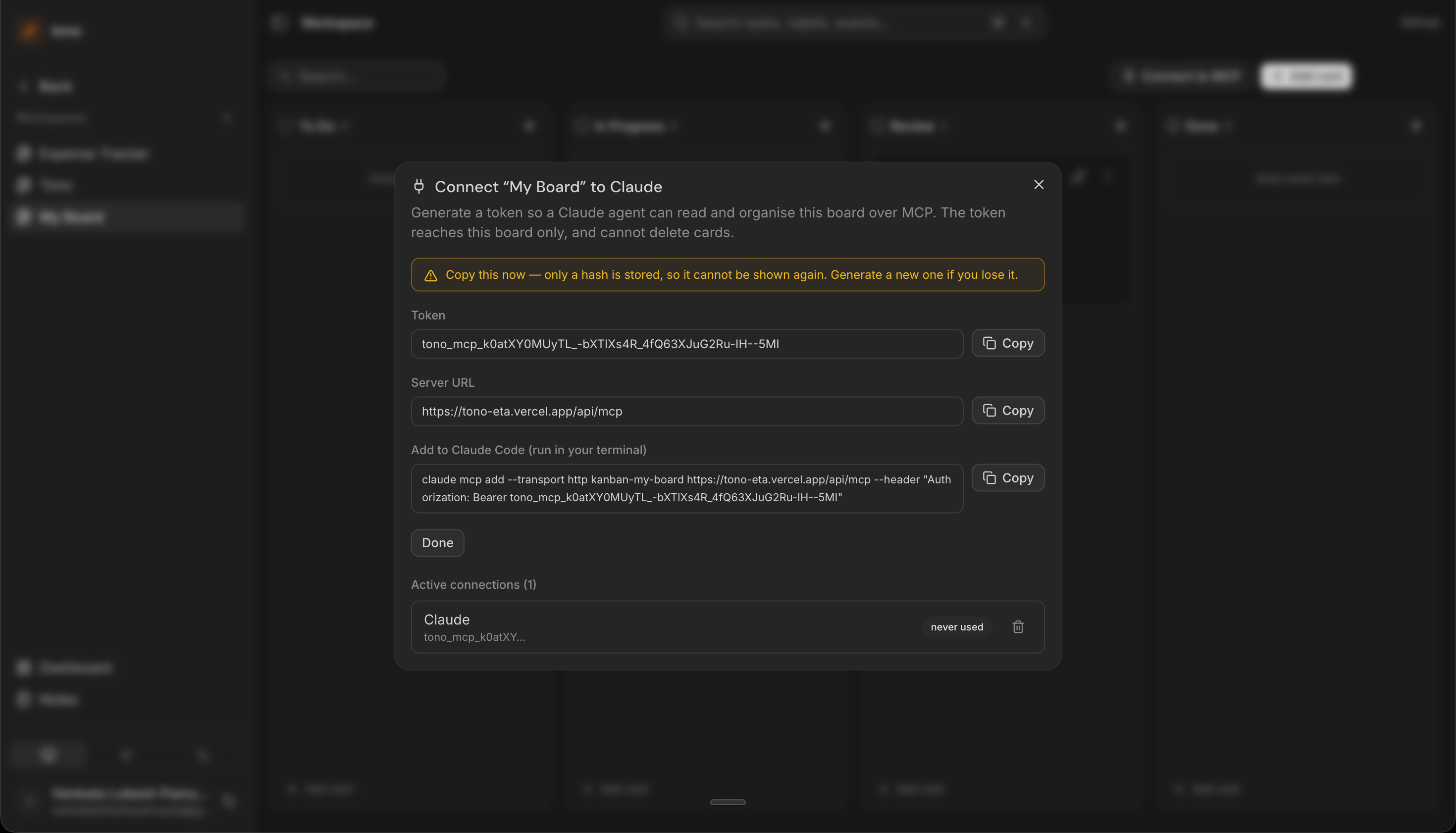
tono also includes an MCP server, which lets AI tools like Claude manage a kanban board for you. You turn this on by clicking "Connect to MCP" on a board, which gives you a one-time access token. The app only ever stores a hashed version of it, and each token only works for the one board it was made for. The AI gets a small set of tools to work with: it can read the board, search cards, create or update cards, move them between columns, and reorder a column. Column names are matched loosely, so saying "todo" still matches a column called "To Do."
Testing
The trickiest logic (the note-saving queue, the kanban drag-and-drop, the streak counting, and the Markdown import/export) is written as plain functions with no UI code attached. That makes it easy to test directly with Node's built-in test runner, and it's a big part of why these pieces rarely break.